KWL Chart Template
Make a KWL chart template for any topic: choose KWL, KWHL or KWLS, type in the boxes if you like, then print it or save it as a PDF.
Recent
Your last 10 settings, saved only in this browser. Nothing is uploaded.
How to make a KWL chart
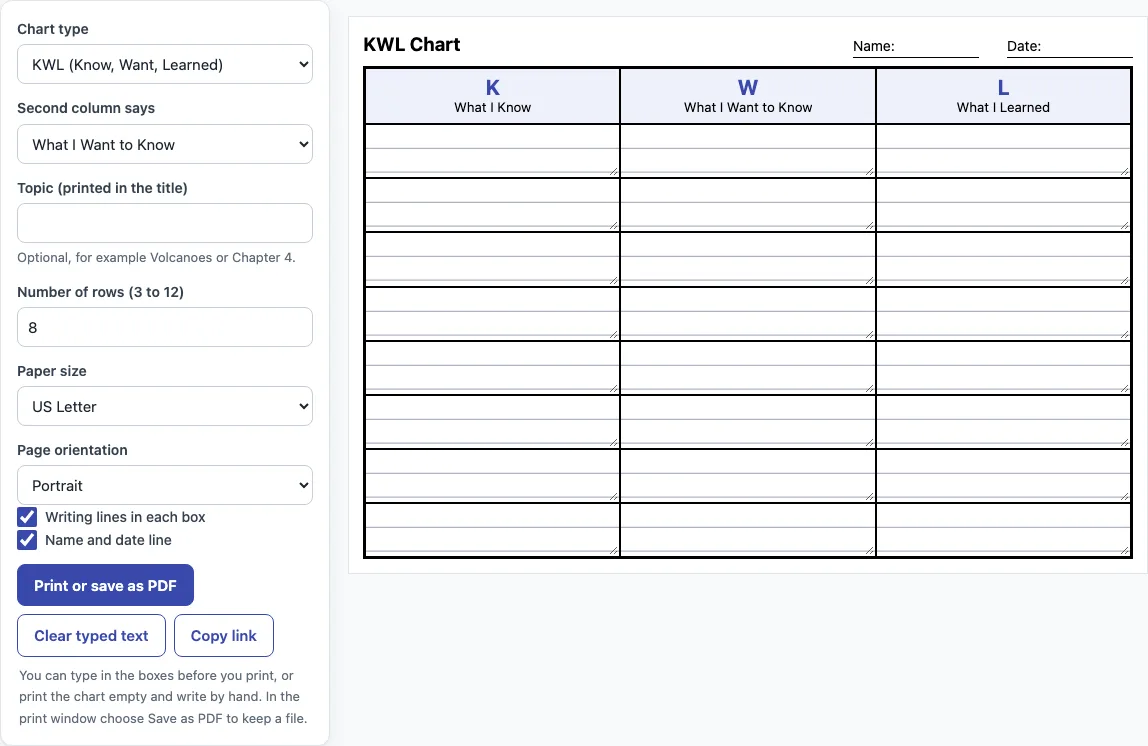
- Open Chart type and choose KWL (Know, Want, Learned), KWHL (adds How can I find out?) or KWLS (adds Still want to learn).
- Open Second column says and choose What I Want to Know or What I Wonder.
- Type a Topic if you want one, such as Volcanoes or Chapter 4. It appears in the title. Leave it blank for a plain “KWL Chart” title.
- Set Number of rows from 3 to 12. The default is 8.
- Choose Paper size: US Letter or A4.
- Choose Page orientation: Portrait or Landscape. KWL opens in portrait, while KWHL and KWLS open in landscape because they have four columns.
- Tick or untick Writing lines in each box and Name and date line. Both are ticked by default.
- Click into any box on the page and type if you want to add notes before printing.
- Click Print or save as PDF. In the print window, choose Save as PDF if you want a file instead of a paper copy.
The Clear typed text button empties all the boxes, so you can start again without changing your settings. The Copy link button saves your chart settings in a link you can reopen later or send to someone else. Typed notes are not included in that link.
What is a KWL chart?
A KWL chart is a graphic organizer with three columns: Know, Want to know and Learned. KWL stands for those three words, and the chart helps readers track what they already know about a topic, what they want to find out and what they have actually learned.
Donna Ogle created the KWL chart in 1986 as a way to help students read expository text actively (Ogle, D. M. (1986), The Reading Teacher 39, 564-570). The K column holds what students already know. The W column holds what they want to learn or wonder. The L column holds what they learned. K and W are filled in before reading or a lesson, and L is filled in after it.
Teachers use the chart to start discussion, and students use it to plan their own study. A class might brainstorm K facts together, write questions in W, read a text, and then return to fill in L. The chart does not give answers. It only gives a structure for the thinking.
What is a KWHL chart?
A KWHL chart is a KWL chart with an extra column, H, for How can I find out? The H column sits between W and L. It turns the chart into a planning tool, because students write down how they will find answers to their questions, such as a book, an expert or a website.
The KWHL version is a variation by Ogle and colleagues from 1992. The KWLS version adds S, for Still want to learn, after L, so students can record questions that remain unanswered. Other versions exist, such as KLEW, but this tool does not make them.
Using any of these charts follows the same pattern. Start with K and W, do the reading or study, then complete L. Compare L with K to see how your understanding has changed. Look at the questions left in W. Those unanswered questions are what the S column in KWLS is for, and they can become the starting point for the next lesson.
Frequently asked questions
What does KWL stand for?
KWL stands for Know, Want to learn and Learned. In this tool, the second column can say What I Want to Know or What I Wonder.
Can I type in the chart before printing?
Yes. You can type directly into the boxes on the page, and typed text is printed. Use Clear typed text to empty the boxes.
What paper sizes can I print on?
You can choose US Letter or A4. The sheet fills one page of the paper size you choose, with 10 mm margins.
What is the difference between a KWL and a KWHL chart?
A KWL chart has three columns (K, W, L). A KWHL chart adds an H column, How can I find out?, so students plan where they will look for answers before they read or research.
Can I sell charts I make?
Yes. Output from this tool may be used for any purpose, including commercial use such as selling printables on Etsy or Teachers Pay Teachers, or in KDP books. No credit is needed.
Are my typed notes saved if I come back later?
No. Your chart settings are saved in the link from Copy link, but typed notes are not. Print or save as PDF before you leave the page if you want to keep them.
Related tools
- Main idea worksheets: use these when students need to practice finding the central point of a passage after a KWL reading task.
- Inference worksheets: use these when learners need practice drawing conclusions from clues the text does not state directly.
- Context clues worksheets: use these when unfamiliar words in a reading text are blocking the L column.
- Vocabulary worksheets: use these to build the key terms students will meet in a new topic.
- Sentence worksheets: use these when students need practice writing full sentences to record what they learned.
- ESL conversation exercises: use these to talk through K and W questions aloud before students write them down.